.png)
An IEP turns a student’s strengths and learning needs into a shared plan for support. Learn what goes into an IEP, how schools manage progress and reporting, and what to look for in IEP software.
An IEP, or an Individual Education Plan, is a document that specifies how a school will support a student whose needs go beyond what is usually considered standard. Its goal is to give everyone involved, from parents through teachers to school administration, one shared plan to work with.
This guide covers exactly what an IEP is, what goes into one, why schools use them, and how they can manage them.
What does IEP stand for?
You may come across a few different names for IEPs.
In British Columbia and Ontario, IEP stands for Individual Education Plan. Other Canadian jurisdictions use slightly different terms, such as Individualized Program Plan (IPP) or Personalized Learning Plan (PLP).
You may also see Individualized Education Plan or Individualized Education Program, mostly in US resources.
What’s an IEP, and why do schools use it?
Some students need support that goes beyond regular classroom practices, but that doesn’t mean they can’t or shouldn’t learn alongside their peers.
Larger-print materials, for example, can help a student with limited vision participate in the same lessons as their classmates. A student who's ahead of their grade level in a particular subject, on the other hand, might benefit from more advanced work to stay engaged and keep progressing.
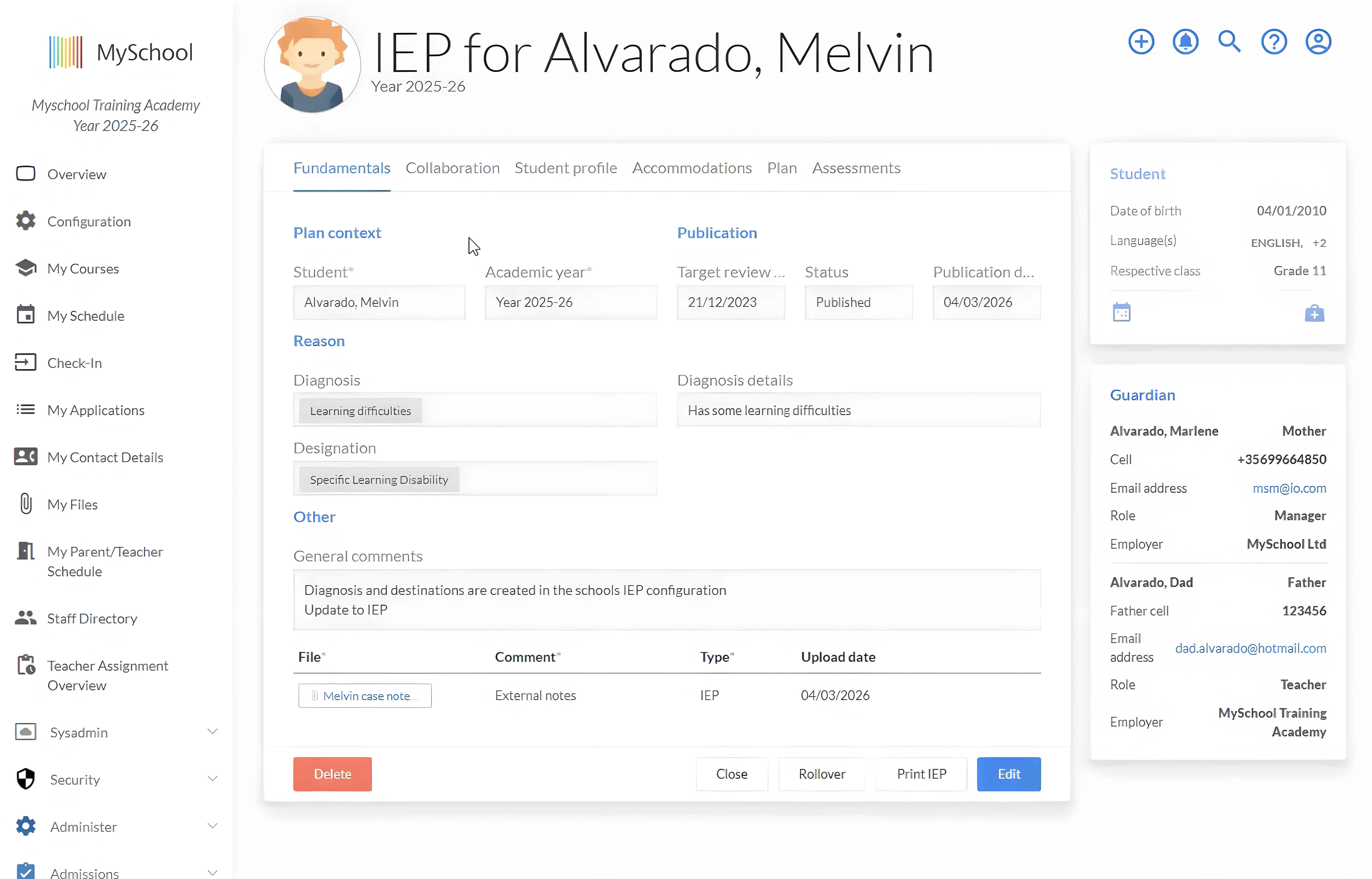
An IEP puts individual adjustments like these into a formal, written plan. It’s a document that outlines all the support a school will provide for a particular student.
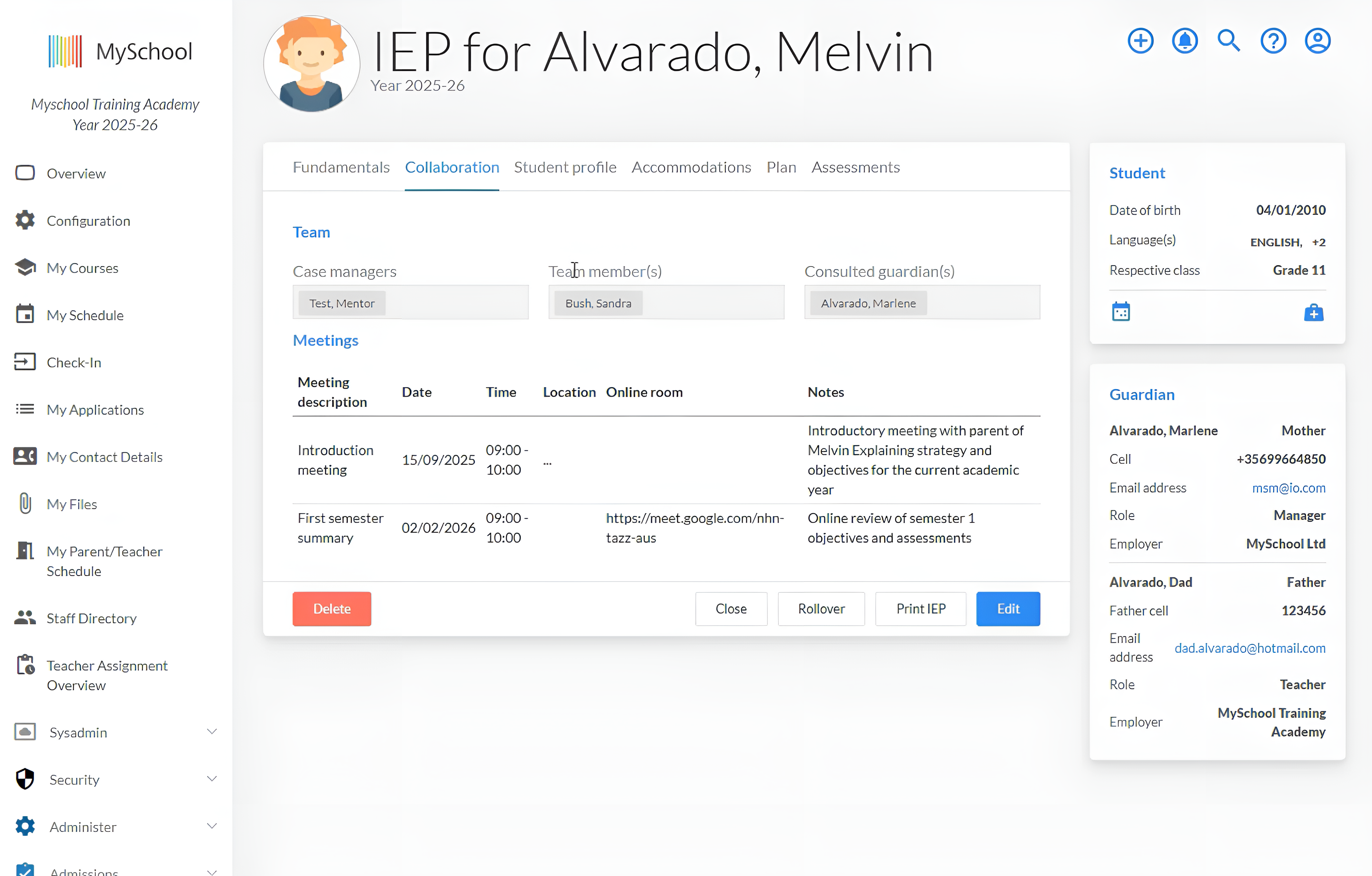
It’s meant to be a collaborative plan that involves teachers, learning support staff, school administration leaders, outside professionals, parents, and even the student themselves, and gives them all a common ground to work from.
What does an IEP contain?
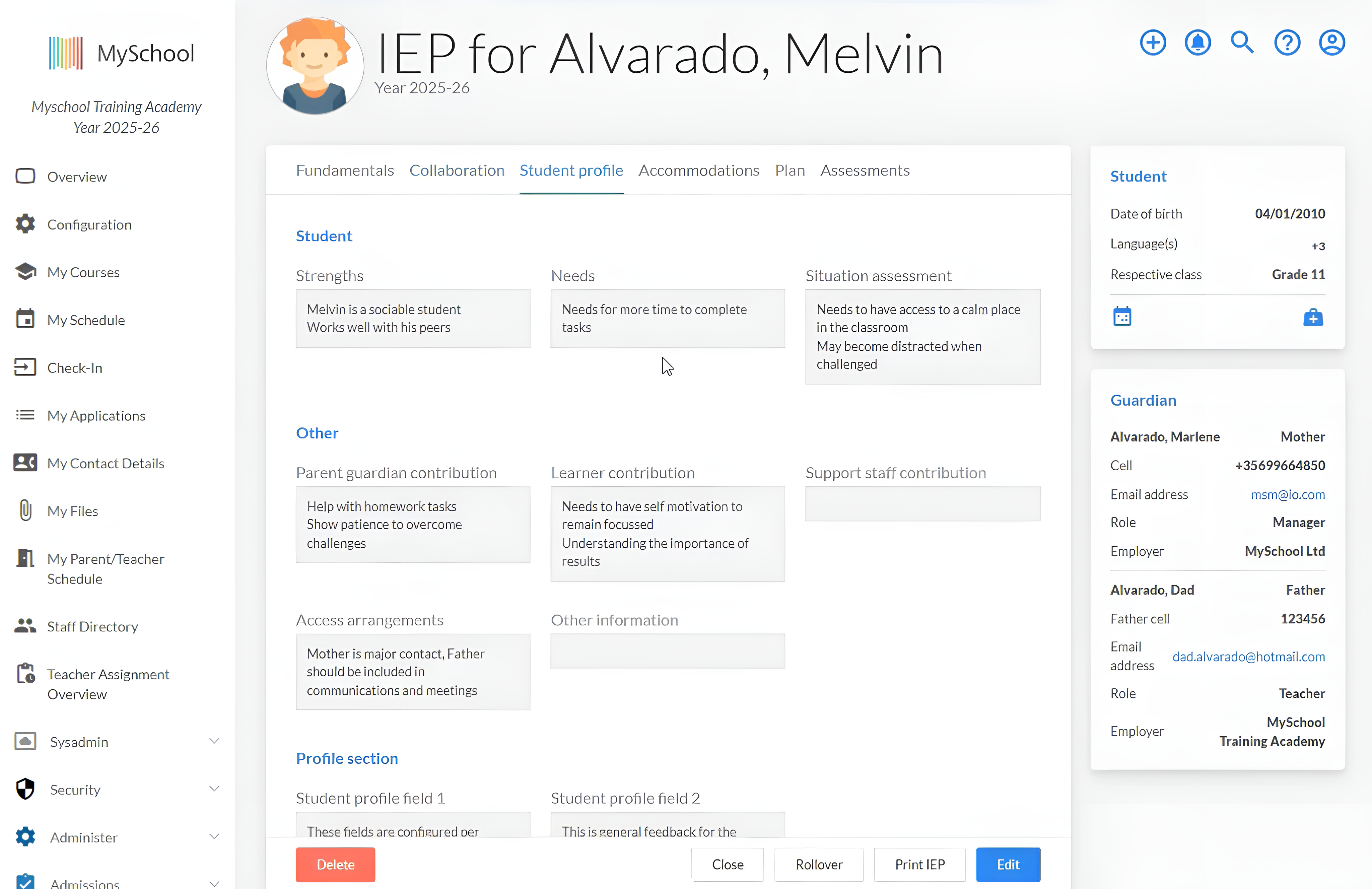
Every IEP will look a little different, but the starting point is usually the same: understanding the student.
That means identifying their strengths, as well as their individual learning needs, then deciding what it is they’ll be working towards (i.e., individual goals) and how the school can help.
Two main types of support IEPs include are:
- Accommodations, which are changes to how the student accesses learning or demonstrates what they learned, without changing the learning expectations themselves.
- Modifications change the learning expectations, for example, by setting goals above or below the student's current grade level.
An IEP also records things like teaching methods and SDIs, lists specific support services (e.g., a logopedics aid), describes how progress will be tracked, when the plan should be reviewed, and who is responsible for doing what.
IEP provincial differences for Canadian schools
There isn't one universal IEP format for all Canadian independent schools.
For example, in BC, independent schools have some freedom in how they structure IEPs, as long as they meet the ministry's official guidelines. Schools claiming inclusive education funding must also meet eligibility and documentation requirements.
Ontario, on the other hand, works differently. The IPRC process and the 30-school-day timeline you can find online apply to publicly funded schools, not private ones. But even if they aren't required to follow the same IEP procedures, independent schools are still obligated to accommodate students with disabilities under the Ontario Human Rights Code.
What is an IEP management system?
IEPs contain sensitive student information and need to be kept up to date, so schools have to think carefully about how they manage them.
Digital IEP management systems can make that easier.
These are tools designed to help schools create, organise, store, and update IEPs and related student records, and they come in one of two forms: standalone IEP software or an IEP module inside a wider school system.
Standalone IEP software vs an IEP module: what’s the difference?
Standalone IEP management software is a specialist system built specifically around IEPs and special education management. Because it’s a separate tool that sits outside the school’s main system, it adds another application for the school to connect, administer, and keep in step with the student record.
An integrated IEP module takes a different approach. It puts the IEP and everything related to it inside the school’s wider ecosystem, connecting it with student records.
Good specialist systems can integrate with an SIS and support single sign-on. The difference is that they still remain a separate system, while an IEP module works as part of the school’s wider platform. With that said, a module is only as good as the system it belongs to.
What can schools manage with IEP systems?
Building and maintaining Individual Education Plans
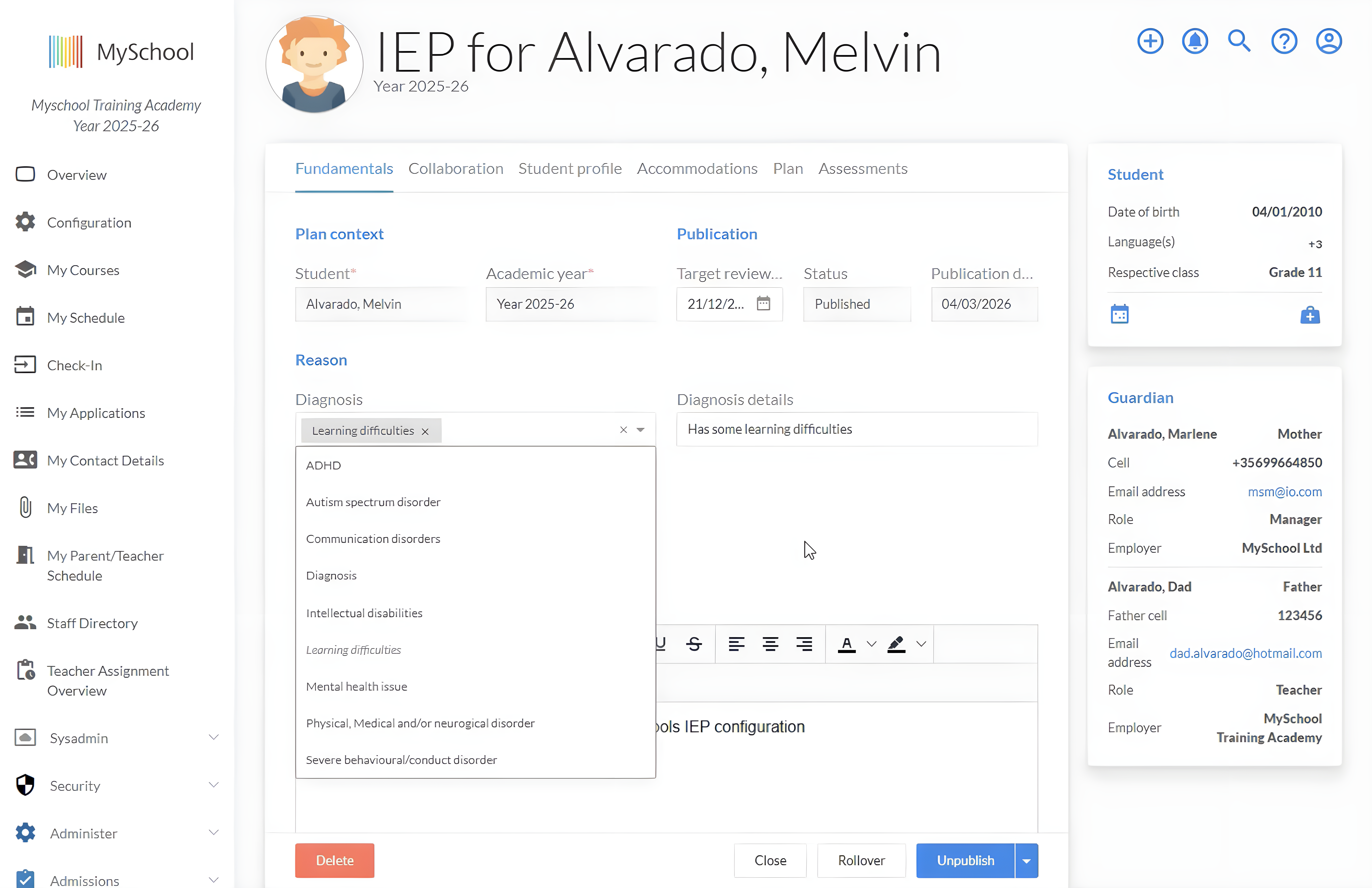
Having a dedicated IEP space gives staff a single point to record all the relevant student information and manage it through the year.
Setting student goals & tracking IEP progress
Giving staff one program to set, change, and mark student goals makes tracking progress more straightforward.
Keeping accommodations and support information accessible
IEP systems usually come with role-based access, meaning the right staff can find the information relevant to their work without needing access to the full record.
Reviewing and updating IEPs
Plans can be revised without risking losing what came before thanks to version history and logged review dates. Combined with additional notes, it gets easy to see what got changed, when, and why.
IEP reporting
Information collected during the year can feed into progress updates and formal reports that can then be saved and shared with families and outside professionals.
Why integrate IEP with your school management system?
For many independent schools, especially smaller ones, keeping IEPs in the wider school system can be very helpful. It simplifies the admin around each plan and makes the information easier to find and use.
One student record means that staff need to check one profile, not two systems, to find what they need.
Less system administration means fewer separate user accounts, permission structures, integrations, and records for the school to maintain.
Better access for authorized staff means that teachers and support staff can quickly access relevant information without switching tools.
Fewer duplicate data entry points mean a lower chance of discrepancies between records and less time spent manually entering information that already exists elsewhere.
And, most importantly, a more complete view of the student means more context for better-informed support decisions.
What should you look for in IEP school software?
7 questions to help you find the right IEP software for your school
1. Will the program fit how we work?
Are you able to modify and adjust sections, fields, views, and workflows in a way that supports how your school already works with IEPs?
2. Can people quickly find and access what they need?
Look for a system that makes relevant information easy to find while giving the school precise control over who can view, edit, approve, or publish it.
3. Is it straightforward to set goals and track progress?
Staff should be able to add notes, assessments, and other evidence of progress.
4. How well does it integrate with our other records?
Find out what information comes across automatically and what needs to be entered by hand. The less duplication, the easier.
5. Can we trust it?
Make sure the system meets your province's privacy and record-access rules.
6. Does reporting build on work already done?
Progress notes, assessments, and updates recorded during the year should all support reporting so that the same work doesn’t need to be done twice.
7. Will people actually use it?
A good program is the one that gets used.
Summary
When IEPs sit inside the school management system, they stay connected to the rest of the student record.
For the school, that means less admin work and fewer loose ends. For the student, it means their support is easier to carry forward from one class or teacher to another.
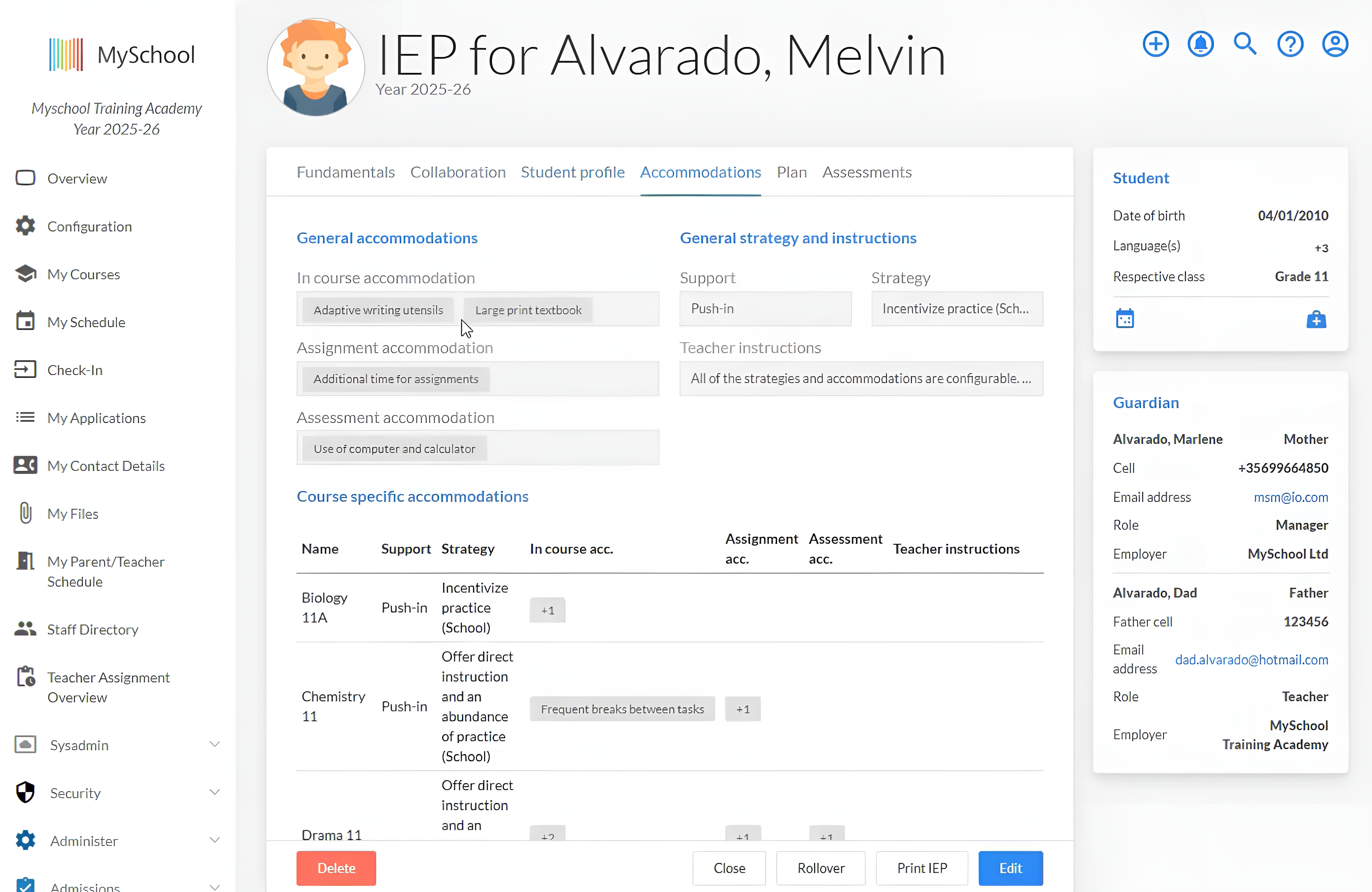
MySchool is a school management platform with an IEP module that helps schools create, track, and update Individual Education Plans.
Schools can customise templates, fields, objectives, accommodations, and reporting sections to suit their processes.
Staff can assign case managers, schedule meetings, and keep participant records, while the IEP stays connected to the student’s profile.
Configurable permissions help schools control who can view, edit, approve, or manage sensitive information. Once a plan is complete and approved, schools can publish it for parents through MySchool.
To see how the module could fit into your school’s approach to IEP management, explore MySchool’s IEP module.
Related Posts
What Is an IEP? A Guide to IEP Software for Canadian Independent Schools
An IEP turns a student’s strengths and learning needs into a shared plan for support. Learn what goes into an IEP, how schools manage progress and reporting, and what to look for in IEP software.
Why Schools Stay With School Management Systems They’ve Outgrown
From years of investment to concerns about migration, explore four reasons schools keep systems they’ve outgrown—and the questions worth asking about each.
Fix the Process or Replace the School Management System? How to Tell Which Problem You Have
Before you retrain the team or start shopping for new software, find out where the extra work actually begins. Learn how to test whether better ownership, training, and process design will solve the issue — or whether the limitation sits in the system itself.