.png)
All-in-many or all-in-one? It sounds like a question about tools. In practice, it's a question about how much effort it takes to keep your school running. Read to learn what each model looks like from the inside.
School operations have become more complex than many systems were designed to handle.
What once felt manageable now often takes more effort than it should. Simple processes involve extra steps. Finding the right information takes longer. Reporting often means pulling data from more than one place before it can be trusted.
At first glance, nothing seems obviously broken.
But in daily work, things do not move as smoothly as they should. Staff switches between platforms to complete a single task, double-checks information before acting on it, and relies on experience to navigate processes that should be more straightforward.
Over time, that friction becomes part of how the school operates.
But it does not have to.
This is not only a question of tools. It is a question of structure. The way school management software is set up shapes how information flows, how decisions are made, and how much effort is required to keep everything running.
That is why this decision matters. Not simply which tools are better, but whether the model behind them still fits the way your school works today.
Should your school rely on multiple tools designed to solve specific problems, or run core operations through one unified school management platform?
What Does “All-in-Many” School Management Look Like in Practice?
In most cases, no one set out to create a fragmented setup. It usually emerges gradually through a series of practical decisions made over time.
A student information system was chosen to manage records. Later, a separate admissions tool was added to support application handling. Billing relied on its own solution. Teaching and learning were supported by an LMS. Communication expanded across email, portals, and other tools brought in to cover specific gaps.
Each addition solved a real problem at the time.
Looking back, it is easy to see why those decisions made sense.
Over time, though, this created a setup where different parts of school operations are managed in different places by different people. Admissions works in one system. Finance works in another. Teachers rely on something else. Administrator often uses their own tools and processes as well. Each team builds habits around the platform it uses, with no single shared system connecting the full process.
On the surface, that can seem efficient. Each tool does its job. Each department has a way of working that feels familiar.
The challenge is that school operations rarely stay neatly within those boundaries. Processes move across departments, responsibilities, and stages.
A family may begin as an inquiry, become an applicant, then an enrolled household, and later move into billing and ongoing communication. The journey is continuous, even if the systems behind it are not.
This is where friction starts to show in daily work.
A single process becomes divided across platforms, teams, and workflows. Information has to move between systems, and those connections are often manual or dependent on staff keeping everything aligned.
This is what defines the all-in-many model in practice.
At that point, the question shifts. It is no longer whether each individual tool works well. It is whether the overall setup works well as a system.

Where the “All-in-Many” Model Starts to Break Down
The impact of this model rarely appears as one dramatic failure. It builds gradually, through small inefficiencies that compound over time.
You start to notice it in everyday work, especially where processes cross systems and require coordination to stay aligned.
Data Stops Living in One Place
Student information often exists in more than one system. Updates need to be repeated, and small inconsistencies begin to appear between records.
Over time, people start to question which version is correct. Before acting, they check another system or confirm details manually.
It may not seem like a major issue on its own, but it adds steps to tasks that should be simple and slows work down.
Workflows Break Across Systems
Most school processes do not sit neatly within one department.
Admissions feeds into enrollment, enrollment connects to billing, and billing links to communication. Each step depends on the one before it.
When those steps live in different systems, the process becomes fragmented. Work moves between platforms instead of moving forward within one connected flow.
Each transition requires coordination, and each coordination point introduces the risk of delay.
Communication Loses Context
Communication tends to spread across multiple tools.
Some messages come from admissions platforms, others from the SIS, others from email or separate systems. Without a shared view, it becomes difficult to track what has already been communicated and what still needs attention.
Staff end up piecing together context before they can respond. For families, that often shows up as inconsistent or delayed communication.
Reporting Becomes Manual
When data sits in different systems, reporting takes effort before it becomes useful.
Information has to be gathered, combined, and checked. Even straightforward questions may require pulling data from multiple places.
By the time a report is ready, it may already be out of date. Decisions follow later than they should.
Administrative Effort Grows Over Time
Each of these issues may seem small on its own. Together, they introduce repeated manual work into daily operations.
That effort is often invisible in planning, but it directly affects how much time is left for more important work.
The system still works, but it works because people keep it working. That is the real difference. Not between good tools and bad tools, but between a setup that supports the work and one that depends on staff to hold it together.

Why Schools Still Choose This Model
Even with these challenges, the all-in-many approach is still widely used.
In many cases, it reflects thoughtful decisions rather than poor ones.
Each system was introduced to solve a specific need. Admissions required flexibility. Billing required accuracy and compliance. Teaching and learning needed dedicated tools. Communication evolved as expectations changed.
Each addition improved something for a specific part of operations.
At the level of individual tools, the setup often works well. Schools can choose systems that fit each function closely, and teams can work in ways that suit their needs.
In smaller or less complex environments, this may be enough.
When student numbers are lower, processes are simpler, and teams are small, the effort required to keep systems aligned can remain manageable.
There is also a practical reality to consider. Changing school management software takes time, planning, and internal alignment. The cost of switching is immediate and visible, while the cost of maintaining the current setup is spread across daily work.
So the model continues. Not because it is perfect, but because it still functions. At least until the effort required to maintain it becomes too noticeable to ignore.

How Families Experience Fragmented Systems
The impact of disconnected systems is not limited to school staff. Families feel it too.
When communication, payments, grades, announcements, and day-to-day updates happen across different platforms, parents are expected to follow the school through multiple apps, logins, and interfaces. Photos may appear in one place, tuition in another, grades somewhere else, and school communication through email or a separate portal.
Over time, that creates friction on the family side as well.
Not because parents are unwilling to engage, but because engagement becomes harder when information is scattered and routines are split across too many tools.
This is where app fatigue becomes real.
A unified school management system gives families one place to go for the core parts of school life. Communication, updates, payments, and key information are easier to find, easier to follow, and easier to act on.
That improves convenience.
More importantly, it removes small barriers that can quietly weaken engagement over time.
Why Security Matters When Choosing School Management Software
Security is not separate from this decision. The structure of your school management software directly affects how safely data can be managed in practice.
Schools handle highly sensitive information: student records, family data, academic history, financial details, and internal communication. Protecting that data is an operational responsibility, not only an IT concern.
In a multi-system environment, data moves across platforms to support everyday work. Admissions connects with enrollment, enrollment with billing, and billing with communication. Each step introduces another place where data is stored, accessed, or updated.
That increases the number of control points the school has to manage.
Permissions are configured in multiple systems. Data is sometimes exported or duplicated to complete routine tasks. Visibility depends on checking more than one source. Over time, consistency relies partly on staff following the same process every time.
Risk builds through that complexity.
A unified system reduces the number of moving parts. Student data, billing, communication, and workflows operate within one environment. Access control follows a single structure. Fewer processes depend on transferring or reconciling data between systems.
Security becomes easier to manage because the system is easier to control.
This does not make one model automatically secure and the other insecure. It changes how much effort is required to maintain strong security in daily operations.
What Does All-in-One School Management Software Actually Mean?
The term all-in-one is often used loosely, but in practice it has a specific meaning.
It describes school management software where core school operations are managed within one platform, built on shared data and connected workflows.
Instead of separate tools, functions such as student records, admissions, billing, communication, and learning operate within the same environment.
That changes how information behaves.
Data is entered once and used across processes. Updates happen in one place and are reflected wherever they are needed.
It also changes how work moves.
Admissions, enrollment, billing, and communication become part of a continuous flow rather than separate stages handled in different systems.
Reporting follows the same pattern.
Because data is not spread across platforms, information is available in real time without the need to gather and reconcile it first.
This is not just about having fewer tools.
It is about having a system that works as one.

What Changes When School Systems Are Unified
A unified system does not change the work itself. It changes how that work gets done.
The difference becomes clear in everyday operations.
Data Becomes Consistent
Student information is created once and used across the system. Updates do not need to be repeated, and staff do not need to check multiple sources before acting.
This removes uncertainty and simplifies decision-making.
Workflows Move Forward Without Interruption
Processes move forward within one system. Admissions connects directly to enrollment, which connects to billing and communication.
There are fewer interruptions and less need to coordinate across tools.
Communications Reflect Real Context
Messages are tied to the same data used across the platform. Staff can see what has been communicated and act with full context.
Such communication improves consistency for both staff and families.
Reporting Becomes Immediate
Information is available as work happens.
Reports do not need to be built manually, and decisions can be made using current data rather than delayed summaries.
Administrative Work Is Reduced
Many manual tasks simply disappear. Data does not need to be transferred, and inconsistencies do not need to be corrected later.
The result is not only time saved. It is time used differently.
Staff Do Not Have To Start From Scratch
One of the hidden costs of a multi-system setup is training. Each new platform brings a different interface, a different logic, and a different learning curve.
That slows adoption and can make staff more resistant to change over time.
A unified system reduces that burden. When functions sit within the same platform, staff work with familiar navigation, shared logic, and consistent training resources. Adding a new module feels less like learning another system and more like extending one they already know.
That makes rollout easier and lowers the day-to-day cost of change.
In a unified system, the structure supports the work instead of relying on people to manage connections between tools.

What Should Schools Consider Before Choosing an All-in-One School Management System?
A unified system offers clear advantages, but it also comes with trade-offs.
Flexibility at the Tool Level Is Reduced
Departments no longer choose separate tools for each function. Instead, they operate within a shared system.
This reduces flexibility, but increases consistency.
The System Becomes a Central Dependency
When core operations run through one platform, reliability and support become critical.
The system itself, and the team behind it, play a central role in daily work.
Implementation Requires Alignment
Moving to an all-in-one school management system involves more than a technical change.
It requires agreement on processes, consistent data structures, and coordination across departments.
Change Has a Short-Term Cost
During implementation, staff adjust to new workflows and systems.
The effort may increase for a period before the benefits become visible.
These are not reasons to avoid a unified approach. They are part of understanding what the change actually involves.
When Does Each Approach Make Sense?
The right approach depends on how complex your operations are.
An all-in-many setup may work when:
- The number of students is limited,
- Processes are relatively simple,
- Most work happens within a small team,
- Data rarely moves across departments.
In these situations, coordination remains manageable.
A unified approach becomes more effective when:
- Processes regularly involve multiple departments,
- Data must remain consistent across functions,
- Reporting requires a complete view of operations,
- Coordination takes noticeable time each day.
At that point, the structure of the system becomes a key factor.
The decision is not about features. It is about how much effort it takes to keep everything running.
How to Evaluate Your Current School Management Software Setup
You can assess your system by looking at where effort shows up.
Take a common process, such as enrolling a student:
- How many systems are involved from inquiry to enrollment?
- How often is data re-entered or checked?
- Where do handoffs occur?
Look at reporting:
- How long does it take to produce current information?
- Does data need to be combined from multiple sources?
Look at communication:
- Are messages sent from different systems?
- Is context easy to track?
And finally, look at daily work:
- How much time is spent maintaining the system itself?
These patterns are usually visible without detailed analysis.
When the same issues appear across different areas, they often point to a structural problem rather than an issue with individual tools.

Final Thoughts
Most schools are not struggling because their tools are individually bad. More often, the real burden comes from the work required to keep separate systems aligned. When information lives in different places, processes depend on handoffs, manual checks, and constant coordination between teams. Over time, that creates more operational effort than most schools should have to carry.
A unified approach changes that dynamic. Instead of asking staff to bridge the gaps between disconnected tools, it gives them a shared system built around how school operations actually work. That means fewer interruptions between stages, more consistent data, and workflows that move more naturally from one part of the school to another.
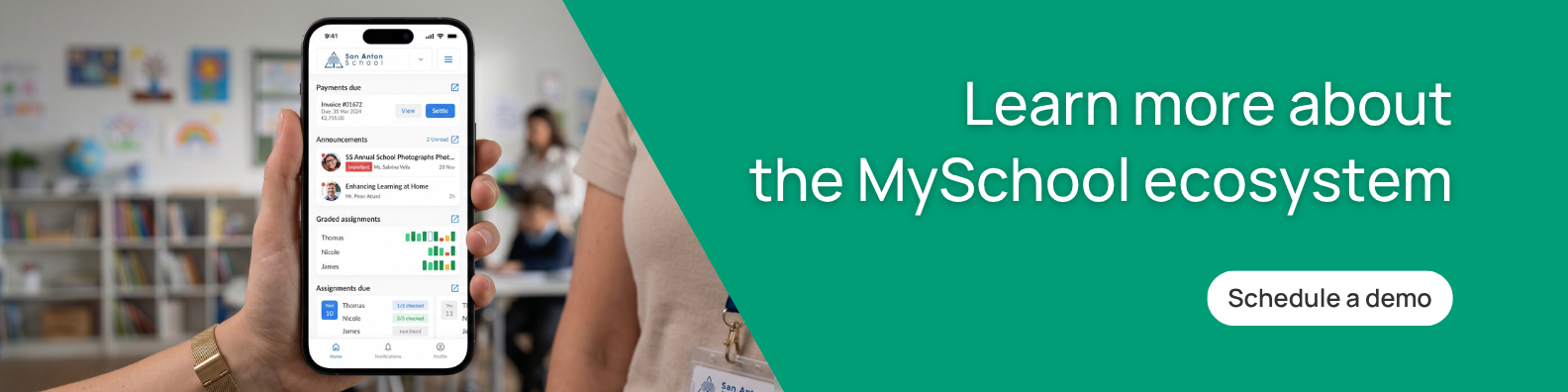
For schools looking to move in that direction, the software itself has to support it. MySchool is built around that kind of unified model, bringing student data, admissions, billing, communication, and learning workflows into one platform with a shared structure across them.
That gives staff one environment to work in, with access to current information and connected processes rather than separate systems that need to be constantly reconciled.
Every school operates differently, but the more important consideration is whether the overall system still makes sense for the way your school operates today.
If that is something you have been questioning, book a demo and talk it through with the MySchool team. We’ll look at your current setup, the points where work starts to fragment, and how a more unified approach could help bring greater clarity, continuity, and ease to daily operations.
Related Posts

The First 30 Days Back: Where School Operations Start to Crack
The first 30 days back show you how your school’s operations really hold up under pressure. This post helps you separate normal start-of-year friction from operational issues that followed you from last year.

Product Update: Introducing the MySchool API
MySchool data will be readable and writable by the other systems your school runs.